Last Updated on: 11th February 2026, 10:39 am
Remove Date And Html From blogger
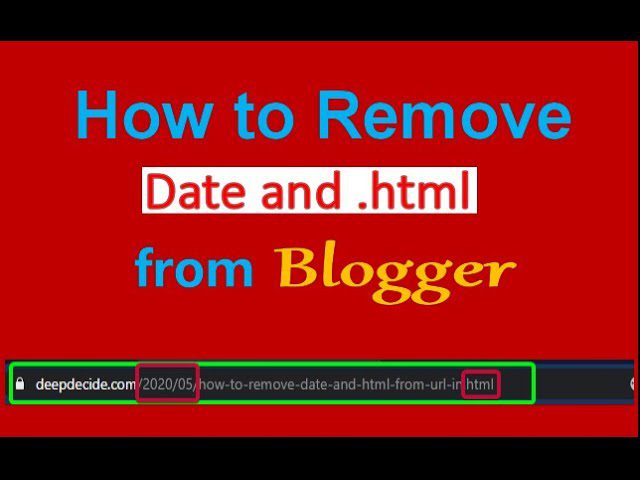
Do you want to delete date and HTML from blogger. Many people working as bloggers and writing articles on a daily basis. But they are worried about the Html in the last of the URL and the date after the domain name. We have found the solution to this problem in a very easy way. To remove the date and Html from your blogger do the following steps.
Steps to Remove Date and Html:
- Got to your Blogger Dashboard.
- Navigate to the Themes.
- Click on Edit HTML.
- Locate the <head> .
- press enter and paste the following Script to remove the date and HTML.
<script type="text/javascript">
//<![CDATA[

// Improved BloggerJS Clean URL Version

var urlTotal,
    nextPageToken,
    postsDatePrefix = false,
    accessOnly = false,
    useApiV3 = false,
    apiKey = "",
    blogId = "",
    postsOrPages = ["pages", "posts"],
    jsonIndex = 1,
    secondRequest = true,
    feedPriority = 0,
    amp = "&";

function urlVal() {
    var p = window.location.pathname;
    if (/\.html$/.test(p)) return 0;
    else if (p.length > 1) return 1;
    else return 2;
}

function urlMod() {
    var path = window.location.pathname;

    // Only modify real post URLs
    if (/^\/\d{4}\/\d{2}\/.+\.html$/.test(path)) {

        var cleanPath = path
            .replace(/^\/\d{4}\/\d{2}\//, "/")  // remove date
            .replace(".html", "");              // remove .html

        history.replaceState(null, null, cleanPath);
    }
}

function urlSearch(path, list) {
    var slug = path.replace("/", "") + ".html";

    list.forEach(function(item) {
        if (item.indexOf(slug) !== -1) {
            window.location = item;
        }
    });
}

function urlManager() {
    var type = urlVal();

    if (type === 0) {
        if (!accessOnly) urlMod();
    } else if (type === 1) {
        getJSON(postsOrPages[feedPriority], 1);
    } else if (type === 2) {
        if (!accessOnly) history.replaceState(null, null, "/");
    }
}

function getJSON(type, index) {
    var script = document.createElement("script");
    var url = window.location.protocol + "//" +
              window.location.hostname +
              "/feeds/" + type +
              "/default?start-index=" + index +
              "&max-results=150&orderby=published&alt=json-in-script&callback=bloggerJSON";

    script.type = "text/javascript";
    script.src = url;
    document.getElementsByTagName("head")[0].appendChild(script);
}

function bloggerJSON(data) {
    var links = [];

    if (typeof urlTotal === "undefined") {
        urlTotal = parseInt(data.feed.openSearch$totalResults.$t);
    }

    try {
        data.feed.entry.forEach(function(entry) {
            entry.link.forEach(function(link) {
                if (link.rel === "alternate") {
                    links.push(link.href);
                }
            });
        });
    } catch (e) {}

    urlSearch(window.location.pathname, links);

    if (urlTotal > 150) {
        jsonIndex += 150;
        urlTotal -= 150;
        getJSON(postsOrPages[feedPriority], jsonIndex);
    }
}

function bloggerJS(priority) {
    if (priority !== undefined)
        feedPriority = priority;

    urlManager();
}

bloggerJS();

//]]>
</script>
Now click on save theme And all done, you have removed the date and HTML from your blog.
Note:- Only for new bloggers. if your blog getting enough traffic then don’t try this method.
If You remove these terms (.html and the date) from your blogger URL then this will change your blog URL without .html, date. After removing html date, your URL will be changed and old URL will not work.
This can affect your blog in search engines.