Last Updated on: 23rd January 2026, 06:04 pm
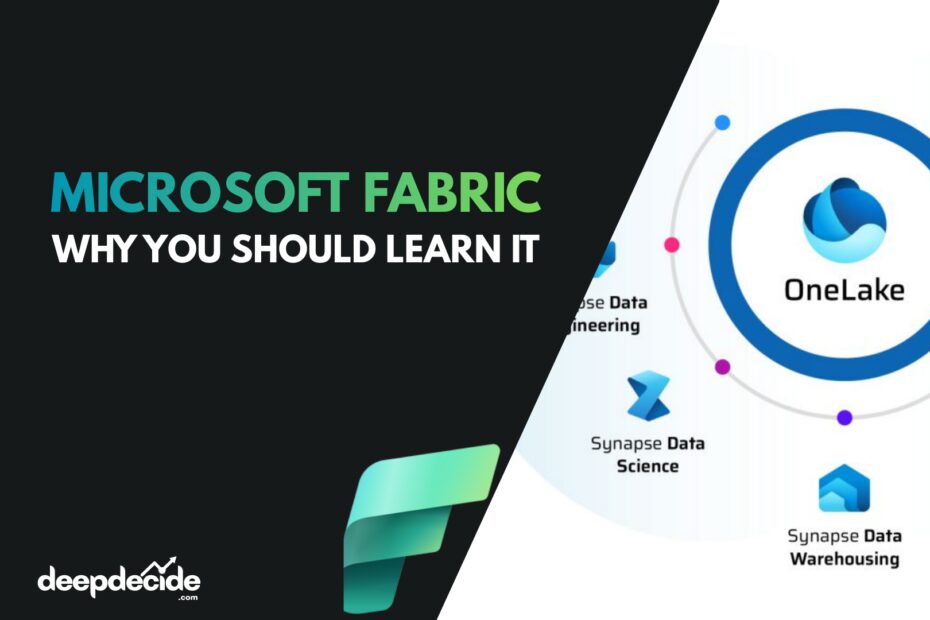
Microsoft Fabric is an all-in-one analytics platform designed to break down the barriers between different data roles and tools. Think of it as an integrated suite that combines data engineering, data warehousing, data science, real-time analytics, and business intelligence (Power BI) into a single, cohesive Software-as-a-Service (SaaS) experience.
Its core innovation is OneLake, an automatically provisioned, unified data lake for your entire organization. Every workload in Fabric whether it’s a data pipeline, a Spark job, or a Power BI report, stores its data by default in OneLake using the open Delta Parquet format. This “OneCopy” model eliminates the need to create multiple copies of data for different systems, simplifying governance, security, and collaboration.
Key Components & “Experiences”
Fabric organizes its capabilities into role-specific “experiences,” all seamlessly connected through OneLake:
- Data Engineering: Build and manage Lakehouses, a unified structure that combines the flexibility of a data lake with the management capabilities of a warehouse. Use Spark notebooks and Dataflow Gen2 for large-scale data transformation.
- Data Warehousing: Run high-performance, T-SQL queries directly on data in OneLake. It’s a full SQL engine that separates compute from storage for scalable analytics.
- Data Science: Develop, train, and operationalize machine learning models using integrated notebooks (Python, R) and direct connections to Azure Machine Learning.
- Real-Time Analytics: Analyze high-volume streaming data (like IoT telemetry) in real-time using the powerful Kusto Query Language (KQL).
- Data Factory: Orchestrate data movement and transformation with a next-generation service that simplifies pipeline creation and management compared to Azure Data Factory.
- Power BI (Deeply Integrated): This is where Fabric shines for analysts. Power BI is natively built in. The standout feature is Direct Lake, a storage mode that allows Power BI to query massive datasets directly from Delta tables in OneLake at incredible speed, without needing to import the data.
Why You Should Learn Microsoft Fabric Now
- Career Relevance & Demand: Microsoft is directing its primary analytics innovation efforts toward Fabric. Proficiency in it positions you for the future of data platforms.
- The Power BI Revolution: For millions of Power BI users, Fabric and Direct Lake solve long-standing challenges with large dataset performance and freshness, making it a must-learn skill.
- Operational Efficiency: Mastering Fabric means you spend less time on data movement and integration plumbing and more time on deriving insights and creating value.
- Foundation for AI: Fabric provides the unified, governed data layer essential for effective AI and machine learning projects.
How to Master Microsoft Fabric: A Practical Roadmap
Mastery comes from combining conceptual understanding with hands-on practice.
1: Foundations & First Steps (First Month)
- Conceptual Learning: Start with Microsoft’s official overviews to grasp the core ideas of OneLake and the unified platform.
- Get Hands-On: Activate a free 60-day trial (includes a 64 Capacity Unit resource pool). Your first goal is simple: use Data Factory to copy sample data into a Lakehouse, then connect Power BI to it. This end-to-end flow makes the concept tangible.
2: Role-Based Deep Dive (Months 2-3)
Don’t try to learn everything. Focus on your primary domain:
- BI Analysts: Dive into Direct Lake mode in Power BI. Learn how to build semantic models on Lakehouses and Warehouses.
- Data Engineers: Explore the Data Engineering experience. Build Lakehouses, transform data with Spark notebooks, and orchestrate pipelines.
- SQL Analysts: Master the Data Warehouse experience. Write T-SQL on lake data and understand its interaction with other components.
3: Horizontal Integration & Real Projects (Months 4-6)
- Build a Mini Project: Design a solution that uses at least three experiences (e.g., ingest with Data Factory, transform in a Lakehouse, analyze in a Warehouse, visualize in Power BI). This reveals the true power and any friction points.
- Leverage Official Tutorials: Microsoft provides excellent end-to-end tutorials for scenarios like retail analytics, data science, and real-time intelligence.
- Join the Community: Engage with the Fabric community on forums and social media. Real-world problem-solving accelerates learning.
4: Expertise & Architecture (Ongoing)
- Get Certified: Pursue the DP-600 (Implementing Analytics Solutions Using Microsoft Fabric) certification to validate and structure your knowledge.
- Design Systems: Think about enterprise-scale concerns: workspace organization, deployment pipelines with Git integration, and cost optimization using the Capacity Metrics app.
- Teach Others: Presenting or writing about your learnings is the best way to solidify mastery.
Microsoft Fabric FAQs
- How do I start learning Fabric for free?
You can sign up for a free 60-day trial at app.fabric.microsoft.com. This gives you a dedicated capacity with full access to all Fabric features and 1 TB of OneLake storage. - Do I need an Azure subscription to use Fabric?
No. Fabric is a SaaS platform. You can start the trial directly without an Azure account. For paid plans, you purchase Fabric Capacity (F SKUs) through the Azure portal. - What is the core technical certification for Fabric?
The key certification is DP-600: Implementing Analytics Solutions Using Microsoft Fabric. It’s the official measure of proficiency. - Is Fabric replacing Azure Synapse Analytics or Azure Data Factory?
No. Microsoft has stated that Azure Synapse and ADF have separate PaaS roadmaps and are not being deprecated. However, Fabric is the flagship, unified SaaS offering, and for new projects, Microsoft recommends starting with Fabric. - What’s the main difference between Fabric Data Factory and Azure Data Factory?
Fabric Data Factory is a SaaS service with a simplified experience: no “publish” step, easier connections, built-in scheduling, and native integration with other Fabric items like Lakehouses. It’s designed to be more user-friendly and integrated. - Can I migrate my existing Azure Data Factory pipelines to Fabric?
Microsoft provides guidance and tools for migration. Many ADF activities are supported in Fabric, and you can use the Azure Data Factory Lakehouse/Warehouse connector to integrate with Fabric’s OneLake. A full “lift-and-shift” migration experience is on the roadmap. - What exactly is a “Lakehouse” in Fabric?
A Lakehouse is a unified data structure that combines the cost-effectiveness and flexibility of a data lake (storing any data type) with the management and performance features of a data warehouse. In Fabric, it’s the primary curated data container in the Data Engineering experience. - What is Direct Lake and why is it a big deal?
Direct Lake is a Power BI storage mode that queries data directly from Delta tables in OneLake, without importing it. It offers near-in-memory query performance on massive, always-fresh datasets, breaking traditional Power BI model size limits. - How does security and governance work in Fabric?
Security is unified through OneLake. Permissions and sensitivity labels applied to data in OneLake are respected across all experiences. It integrates with Azure Active Directory and Microsoft Purview for comprehensive governance. - How is Fabric priced?
Fabric uses a capacity-based pricing model. You purchase a pool of resources (Fabric Capacity Units – F SKUs), and all workloads (Data Engineering, Warehousing, Power BI, etc.) draw from this single pool. This simplifies billing compared to managing separate services. - Is there a “pay-as-you-go” option?
The primary model is reserved capacity (F SKUs). Microsoft may offer other consumption options, but the capacity model is the standard for predictable billing. - Do I still need a Power BI Pro or Premium license?
To publish Power BI content to shared workspaces for consumption by others, you typically still need Power BI Pro licenses or a Fabric capacity that includes those rights. - I’m a Power BI developer. Where should I start?
Immediately explore Direct Lake. Connect to a Lakehouse or Warehouse in Power BI Desktop (via the OneLake catalog) and create a semantic model using Direct Lake mode to experience the performance difference. - Are there good hands-on tutorials?
Yes. Microsoft provides excellent end-to-end tutorials covering scenarios like building a sales Lakehouse, real-time analytics on streaming data, and a complete data warehouse. These are the best way to learn the integrated flow. - How does CI/CD work in Fabric?
Fabric supports Git integration (Azure DevOps, GitHub) for source control. It also features built-in deployment pipelines to promote content (reports, semantic models, code) across development, test, and production workspaces. - Can Fabric connect to on-premises data sources?
Yes, via the on-premises data gateway, which is the same gateway used by Power BI. This allows pipelines and dataflows to access data behind your firewall. - What are Fabric’s current limitations compared to Azure Synapse?
As a newer platform, some advanced Synapse features are not yet in Fabric, such as GPU-accelerated Spark pools, support for .NET for Spark (C#), and external Hive metastore. Evaluate if these are critical for your workloads. - How does Fabric handle real-time/streaming data?
Through the dedicated Real-Time Analytics experience, which uses Kusto Query Language (KQL). It’s optimized for ingesting and querying high-volume telemetry, logs, and IoT data with very low latency. - Can I use other BI tools (Tableau, Qlik) with Fabric?
Technically, yes. The Data Warehouse provides a T-SQL endpoint, and data in OneLake is in open formats. However, you lose the deep, native integration and performance advantages (like Direct Lake) that Power BI has. - My company uses AWS or Google Cloud. Can we use Fabric?
Yes. Fabric can connect to data in other clouds via its connectors. For performance, you would typically copy frequently queried data into OneLake. You can also create shortcuts in OneLake that point to external storage (like ADLS Gen2, Amazon S3), allowing you to virtualize data without moving it.
I hope this guide provides a clear path forward. If you have a specific area you’d like to explore deeper, such as a detailed comparison of Data Factory features or a step-by-step walkthrough of a Direct Lake setup, feel free to ask!